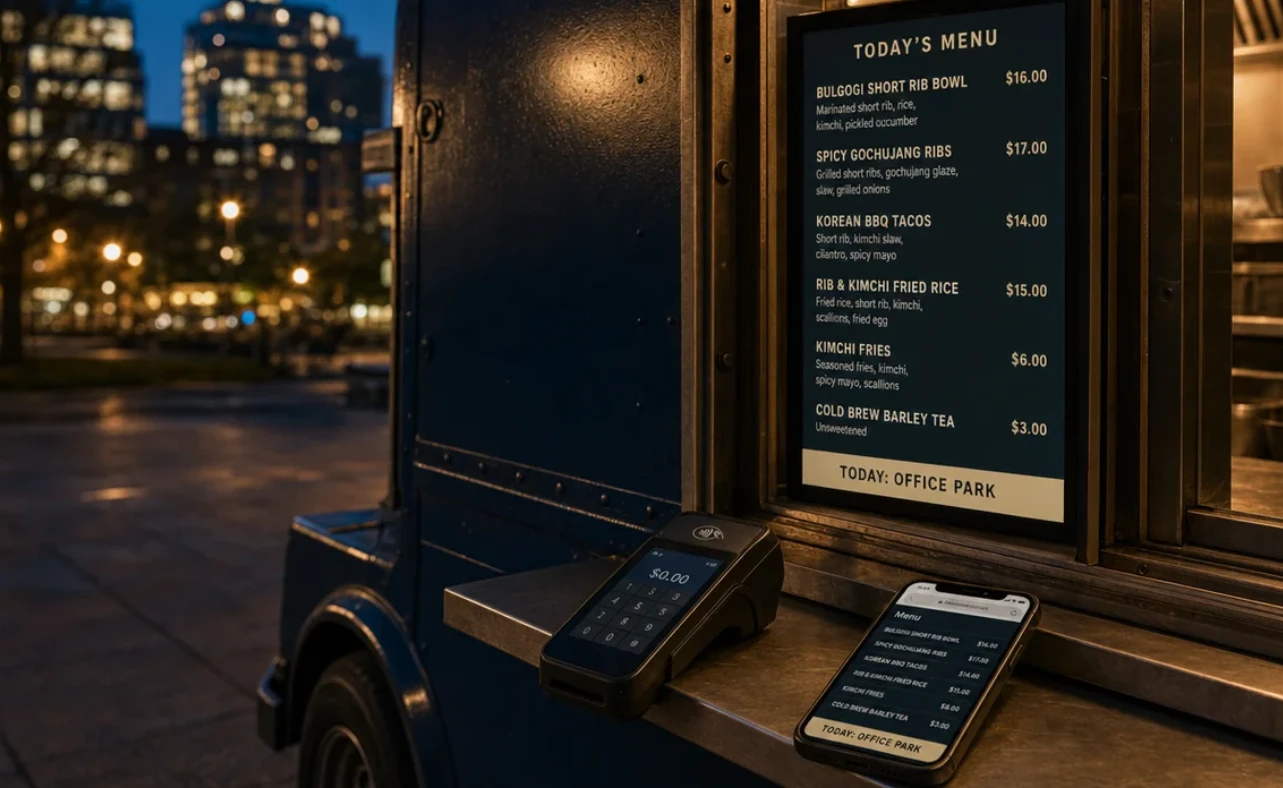
Food truck technology used to mean a card reader and a phone. In 2026, a high tech food truck runs five or six pieces of software, and each one is a separate buying decision with its own contract, fees and integrations.
Most buyers do not evaluate them all at once. They add tools one at a time, often after something breaks during a rush, and end up with a stack that overlaps in some places and leaves gaps in others.
This guide reviews each category in the same order a truck uses them during service. Every section covers what the software does, what to check before buying and what it costs, so buyers can compare like with like.
Digital Menus and Screens
The menu is the first piece of software a guest sees, and for trucks it carries a problem fixed restaurants rarely face: the location, the crowd and sometimes the prices change every day.
Decker
At a glance:
- Category: menu screen software and a media player for food trucks and trailers.
- Works with: Square, Toast and Clover, or an Excel price sheet for trucks without a supported POS.
- Managed from: a laptop or the browser on a phone; there is no separate app to install.
- Pricing model: a free plan for one screen, then paid plans billed per screen, with a 30-day trial on up to five screens.
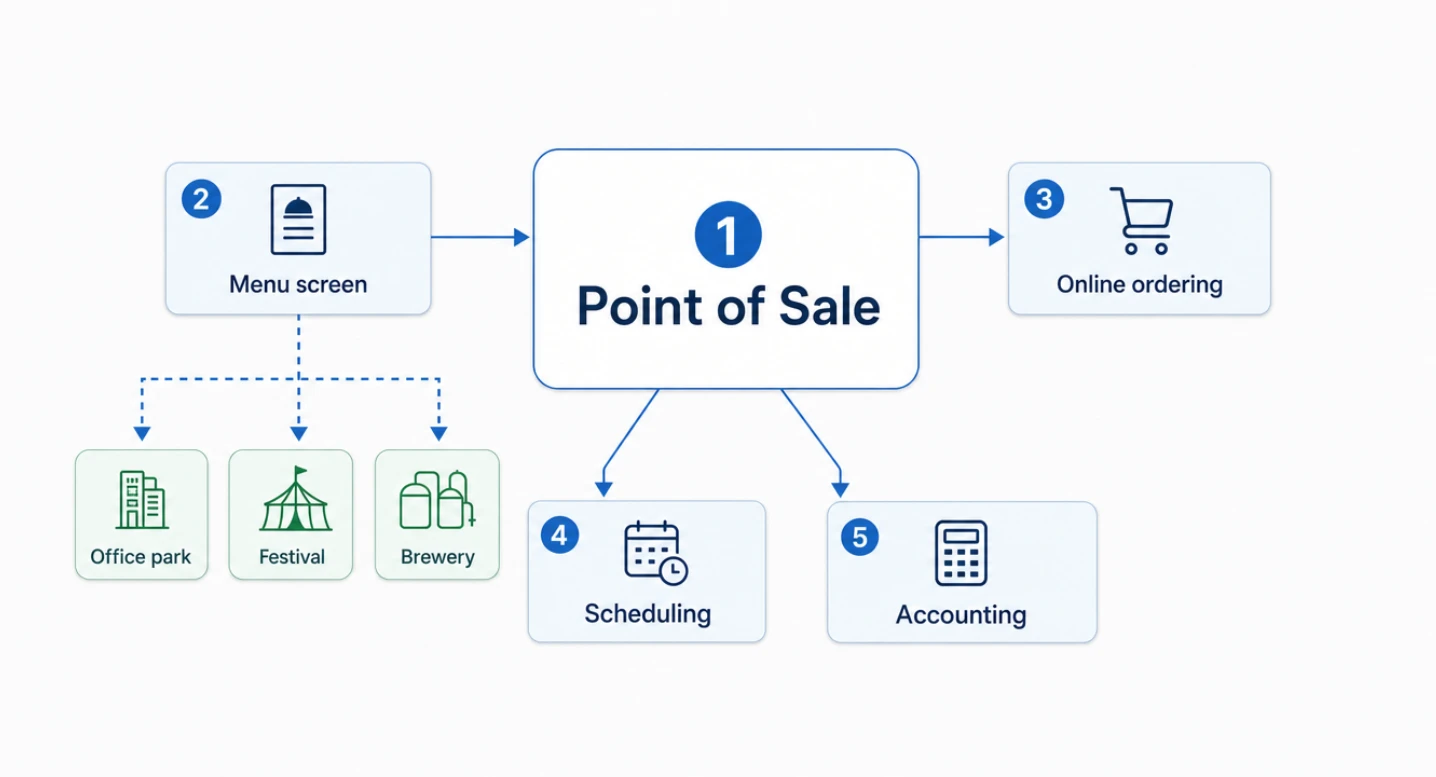
Decker connects the menu screen at the service window to the truck's point of sale. A price edited in the POS reaches the screen in one to five seconds, and items marked unavailable drop off the board until they are back in stock. What matters most in this software is the digital menu for food truck stops, from Decker: a price list per stop, switched on a schedule or by hand from a phone browser. A truck can show office-park lunch prices on weekdays and festival prices on Saturday without rebuilding the layout.
Good fit for:
- trucks that work two or more recurring locations with different prices;
- operators who already run Square, Toast or Clover and want the board to follow the register;
- small fleets that need one layout with local prices on each truck.
Watch out for:
- POS price sync, dayparts and per-location menus sit on paid plans, not the free one;
- a screen bright enough for direct sun is a separate purchase from an outdoor display maker;
- trucks with one fixed spot and a short menu that rarely changes may not need live data at all.
What to Look for in Menu Screen Software
Whichever platform buyers shortlist, the same questions separate a menu tool built for trucks from one built for a dining room:
- Price source. Does the board read prices from the POS, or does someone retype them?
- Location logic. Can one screen hold several menus and switch between them by schedule?
- Sold-out handling. Does an item disappear automatically when the register marks it unavailable?
- Remote control. Can a manager change the screen from a phone at the window?
- Screen checks. Will the software alert someone if the screen goes black while the crew is busy cooking?
- Hardware freedom. Does it run on an existing TV, or only on the vendor's own display?
Point of Sale and Payments
The point of sale is the center of the stack, because menus, ordering and accounting all read from it. Three platforms dominate truck shortlists, and their 2026 pricing differs more in structure than in headline rates.
|
Platform |
Software plan |
In-person card rate |
Hardware notes |
|
Square |
Free $0; Plus $49 per location/month; Premium $149 |
2.6% + 15¢ on Free, 2.5% on Plus, 2.4% on Premium |
Reader 49–59, Terminal 299–329 |
|
Toast |
Starter Kit $0/month; Point of Sale plan from $69/month |
3.09%–3.69% + 15¢ pay-as-you-go; 2.49% + 15¢ with hardware bought upfront |
Toast Go 3 handheld $599; two- to three-year contracts |
|
Clover |
Restaurant plans $79, $149 and $189/month |
2.3% + 10¢ |
Rates and plan names vary by reseller |
Square figures come from UpMenu's May 2026 breakdown, Toast figures from NerdWallet's August 2026 review and Clover figures from UpMenu's 2026 guide. Clover pricing in particular depends on who sells it, so buyers should confirm rates in writing.
Questions to ask in a POS demo:
- How does the reader handle a weak cell signal, and what are the offline limits?
- Is the handheld rugged enough for a truck counter?
- What do online ordering and accounting integrations cost as add-ons?
- How long is the contract, and what does early termination cost?
Food Truck Online Ordering
A food truck ordering app shortens the line on busy days: guests order from their phones, pay and walk up when the ticket is ready. Demand is there. In the National Restaurant Association's 2026 research, reported by Restaurant Business, 74% of consumers said they were comfortable using an app to order and pay, and 68% were comfortable with kiosks.
For trucks, food truck online ordering usually comes from the POS vendor rather than a separate platform. That keeps menus, prices and sold-out items in one place.
What to check:
- whether online ordering is included or billed as an add-on;
- whether pickup times can follow the truck's stop schedule;
- whether a sold-out item disappears online at the same time it leaves the window menu;
- what the guest-facing fees look like at checkout.
Staff Scheduling
Even a two-person truck juggles prep shifts, event days and last-minute swaps. Scheduling software replaces the group chat with a schedule, time clock and shift trades in one app.
7shifts is a common starting point. According to CostBench's July 2026 review, its free plan covers up to 15 employees at a single location, and paid tiers start at about $40 a month.
Good fit for:
- trucks with part-time staff and changing event calendars;
- operators who want labor hours next to sales from the POS.
Watch out for:
- per-location pricing once a second truck joins;
- features such as tip pooling or payroll that sit only on upper tiers.
Food Truck Accounting Software
Food truck accounting software turns daily POS deposits, commissary invoices and fuel receipts into books an accountant can close. Most trucks pick QuickBooks Online or Xero and connect the POS directly.
Buyers renewing in 2026 should note that QuickBooks Online raised prices on August 1, 2026:
- Simple Start stays at $38 a month;
- Essentials rises from $75 to $85;
- Plus rises from $115 to $140;
- Advanced rises from $275 to $340.
What to check:
- a direct integration with the truck's POS, so sales and fees post without manual entry;
- support for several locations or classes if the business runs more than one truck;
- receipt capture from a phone for fuel and supply runs.
Food Truck Trends 2026: Where the Tech Money Is Going
The broader food truck industry trends point in one direction: operators are spending on technology guests can see. The National Restaurant Association's State of the Restaurant Industry 2026 report found that:
- 60% of operators plan to invest more in technology that improves the customer experience, rising to 62% among limited-service operators;
- 54% plan to invest in front-of-house tech, 48% in back-of-house tech and 44% in cybersecurity;
- 26% already use AI-related tools, mostly for marketing;
- 28% say they are lagging competitors on technology.
The pressure behind those plans is cost. The same research puts limited-service profit margins at about 4% last year, with food and labor costs each up roughly 35% since 2019. For food truck industry trends in 2026, that means tools have to save labor or lift sales to justify a new subscription.
How to Build a Food Truck Software Stack
There is no single food truck software that does everything well, and buyers looking for one food truck management software suite usually end up with a POS plus integrations. A practical order of purchase:
- Point of sale first. Everything else reads from it.
- Menu screen second. Connect it to the POS so prices and sold-out items stay in step.
- Online ordering third. Turn it on through the POS when lines get long.
- Scheduling fourth. Add it once there are more than two or three people on staff.
- Accounting from day one. Connect it to the POS before the first tax quarter, not after.
|
Stage |
Typical stack |
|
First truck, owner-operated |
POS on a free plan, one menu screen, accounting basics |
|
Busy single truck |
Paid POS plan, menu screen linked to the POS, online ordering, scheduling |
|
Two or more trucks |
Multi-location POS, one menu layout with local prices per truck, scheduling per location, accounting by class |
For daily food truck operations, the test of the stack is simple: a price change, a sold-out item or a new stop should take one edit, not four.
FAQ
What are the top food truck trends for 2026?
Customer-facing technology leads the list. Operators plan to spend on mobile ordering, faster payments and screens guests can see, while keeping costs in check on thin margins. AI tools are spreading, with about a quarter of operators using them, mostly for marketing.
Do I need separate food truck management software?
Usually not. Most trucks get management features from the POS and connect specialist tools for menus, scheduling and accounting. A separate suite makes sense only for larger fleets with commissary kitchens and catering departments.
What is the minimum technology a new food truck needs?
A POS with a card reader, accounting software connected to it and a way to show the menu clearly at the window. Online ordering and scheduling can wait until volume justifies them.
Before You Sign: A Buyer's Checklist
Food truck technology pays off when the pieces talk to each other. Before committing to any contract, run through this list:
- The POS is chosen first, and every other tool integrates with it.
- The menu screen follows POS prices and handles a different menu at each stop.
- Offline behavior is tested on a weak signal, not just in the office.
- Online ordering costs, including guest fees, are known before launch.
- Scheduling and accounting prices are checked per location, not just per account.
- Contract lengths and cancellation terms are in writing for every vendor.